












Yotta Urja Renderfarm Features
At Yotta Urja Renderfarm, we pride ourselves on our cutting-edge features that set us apart in the rendering industry

Versatile CPUs
State-of-the-art CPUs ensuring lightning-fast processing for all rendering tasks.

Bare Metal GPUs
Sophisticated GPUs to handle the most demanding graphical workloads.

Cloud Storage
Robust storage ensuring project data is secure and easily accessible.

Enterprise I/O Tools
Simplifying large data transfers with enhanced flexibility. The tool offers configurable speed, packet size options, and delivers a significantly lower total cost of ownership (TCO) compared to solutions.

L3 Support
T.D. support team ensuring a seamless rendering experience.
Render Wranglers 24/7
L2 – Senior Render Wrangler support, available 24/7, providing expert assistance to ensure smooth, efficient, and uninterrupted rendering operations.
Local Hosting
Data hosting enabling fast and secure access.

Reliable Turnaround Time (TAT)
Ensuring timely turnaround for rendering projects.

One-Click Setup
Simplified workflow for effortless rendering.

Data Backup
Robust solutions during the rendering process.
Scalability on Demand
Instantly scale computing power to match your project needs, ensuring optimal performance without delays.

Urja Connect Submission / Monitoring Application
Universal submission across all DCCs, with UHTT (Urja Hyperstream Transfer Tool) embedded and inclusive of metadata such as the current job status.
Get Started with Urja Renderfarm
Watch this quick guide to set up your Urja account and submit your first render job in minutes.

Step 01
How to create an Account (SSO)
Sign up with your unique ID to create an Admin account. You can assign multiple users as sub-account holders based on access needs.

1A-e-KYC
Step-by-Step Process to Update Your KYC
During the time of registration, follow the process of uploading your KYC details for seamless billing process.

Step 02
1.1 – Web Submission – Create a Project
Set up your project once user has logged in with the unique password to the Urja RenderFarm Web Portal by entering the project details, selecting the OS, DCC, version, render engine and Farm Pool, then defining the project and output directories. Save the project to complete the one-time setup.

Step 03
1.2 – Urja Hyperstream Transfer Tool (UHTT)
Proprietary I/Ops tool for all your assets and output for your Uploads and downloads through UHTT (No Extra charge for the 1st Year) embedded. Select your project, browse and upload the required files, track uploads through the Upload Queue and History, and download rendered outputs with Auto Download or manually through the portal.

Step 04
1.3 – Submit Render Through Web
Additional option given to submit via the web layer itself through the Urja Render Portal by selecting your project, reviewing its details, and choosing FML or all layers as one job. Analyse and submit your file, then track job status, render logs, metadata and URC consumption from the dashboard. FML renders can be self-approved before resuming the final sequence renders. Urja Web Submission also enables server-side analysis.

Step 05
Urja Connect – Submit Your Render
Install and log in to Urja Connect, which enables client-side analysis, allowing users to analyse their scene and dependencies from their side before submission. Select your project and scene file, then analyse dependencies to identify synced and missing assets. Configure your submission with FML or full-sequence rendering, upload to the Urja Cloud Farm, and track your job status and URC consumption from the dashboard. Auto Download is enabled by default for completed shots.


Global Cloud Rendering Power with Urja Renderfarm
Tailor your rendering experience with Urja Renderfarm’s customizable services.
Trusted by industry partners.
Setting the Benchmark with World - Class Certifications
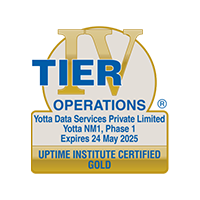
Uptime Institute Tier Certified
Ensuring fault-tolerant, uninterrupted data center operations.

Trusted Partner Network (TPN)
Certified for top-tier film & TV content security (MPA-backed).
LEED Gold Certified
High-efficiency, sustainable data centers for eco-friendly operations.
AICPA SOC Certified
Secure, seamless system controls for enhanced customer confidence.

Open-IX OIX-2 Certified
High-performance, resilient, and reliable interconnection standards.
IGBC Green Data Center Certified
Recognized for sustainable and energy-efficient infrastructure.
AICPA SOC 2 Certified
Demonstrating strict compliance with data security and privacy standards.

Register on Urja Renderfarm
Ignite Your Creativity with Limitless Compute Power and Studio-Grade Support.